Product / technical case study
Formailo
A form-to-email SaaS explored through product decisions, system architecture and implementation tradeoffs.
Product interface
Formailo in use.
The supplied screens show the journey from account creation and form building to Gmail delivery, completion and response tracking.
Continue to product context ↓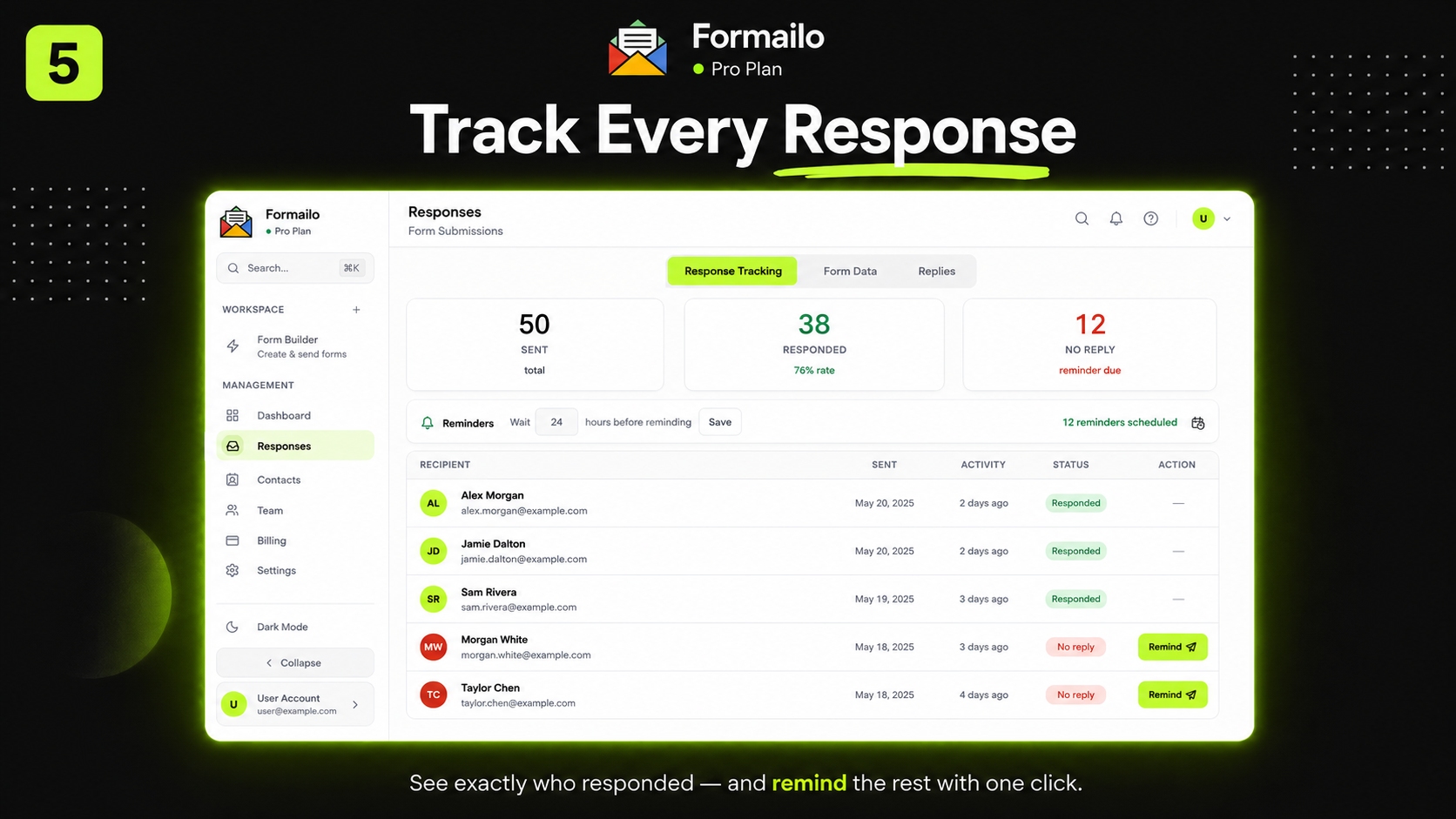
Formailo response dashboard showing submission totals, response status and follow-up actions.
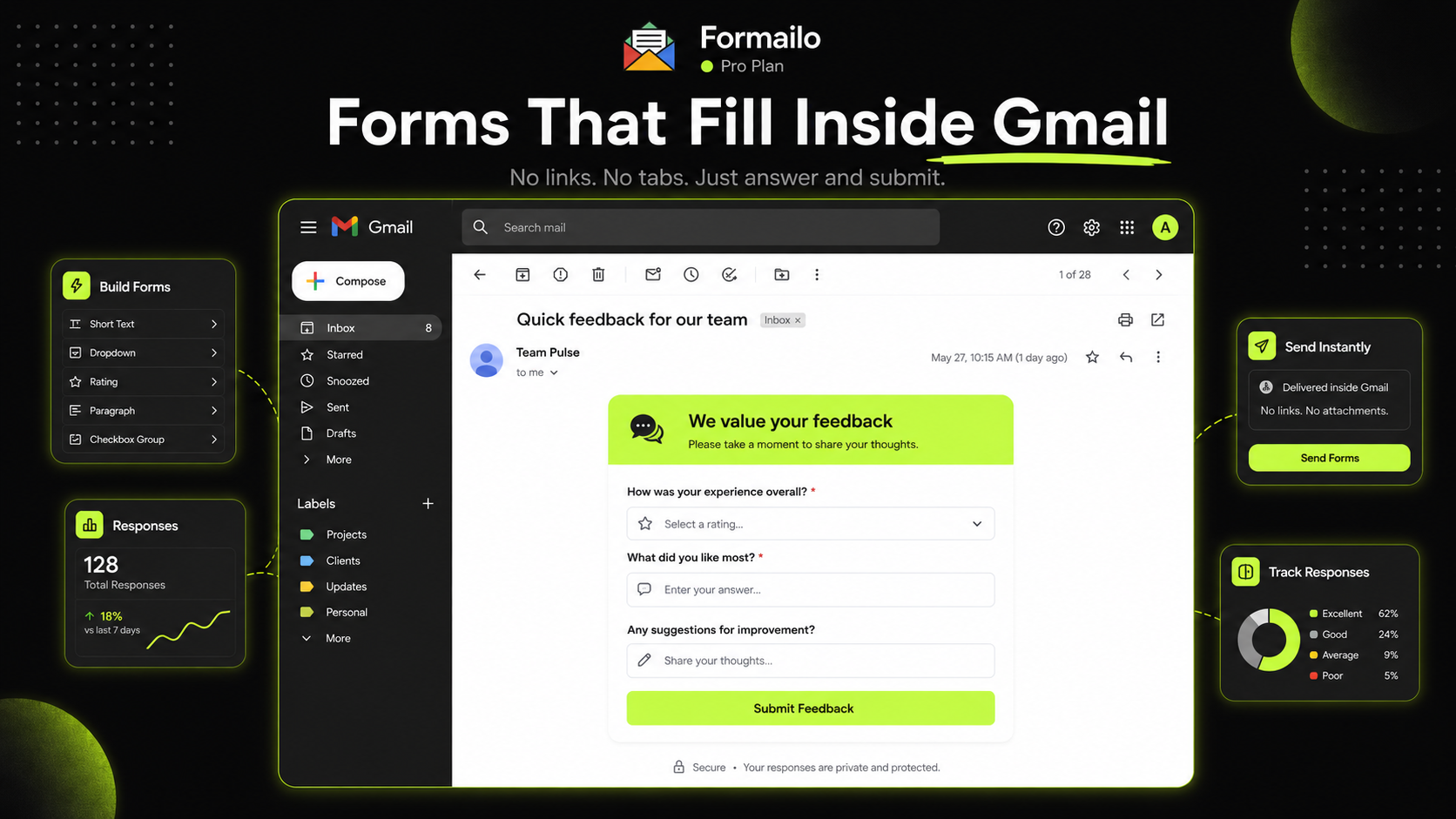
Formailo form displayed inside Gmail beside response analytics and navigation panels.
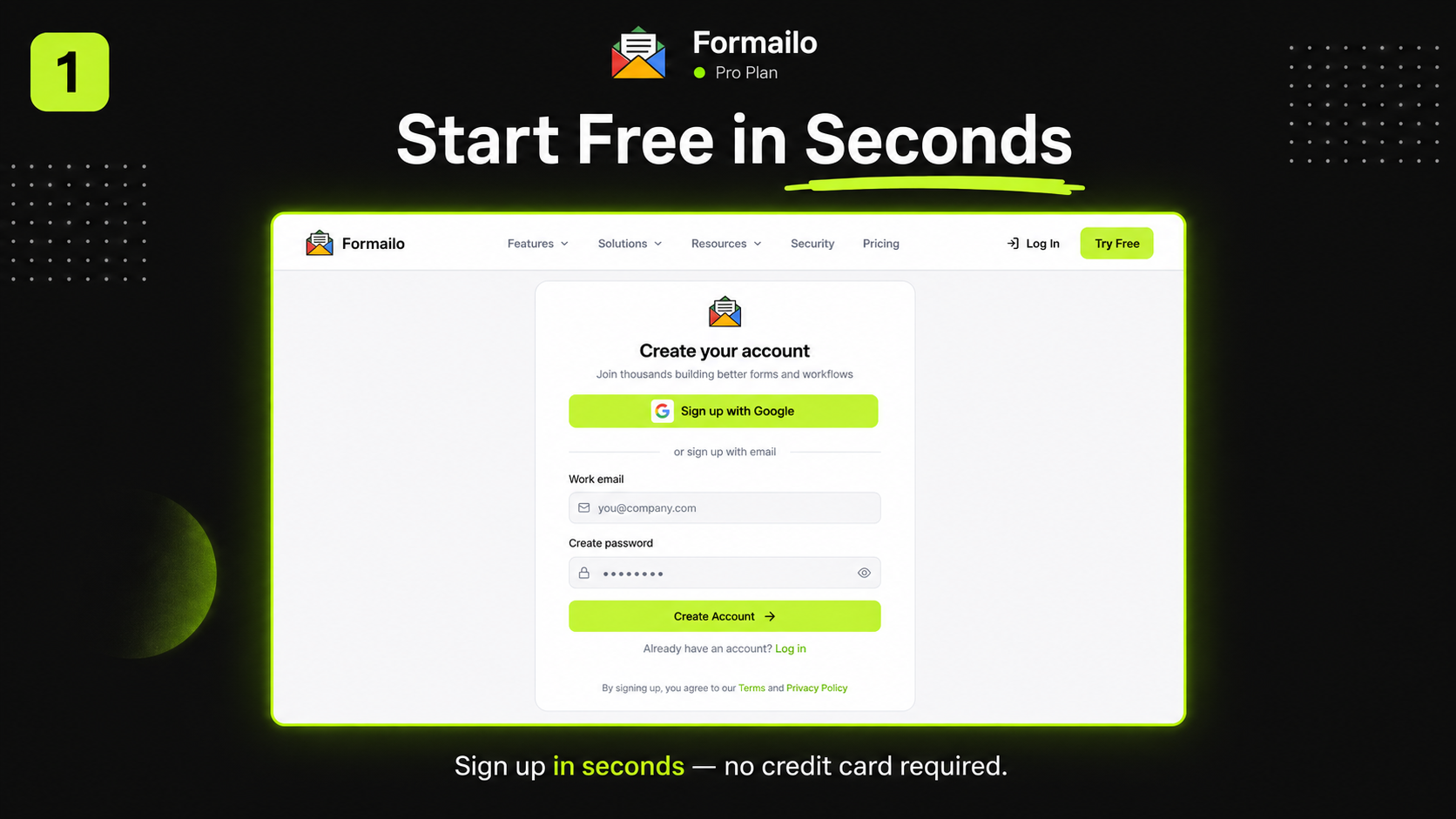
Formailo account creation screen presenting a short free-sign-up flow.
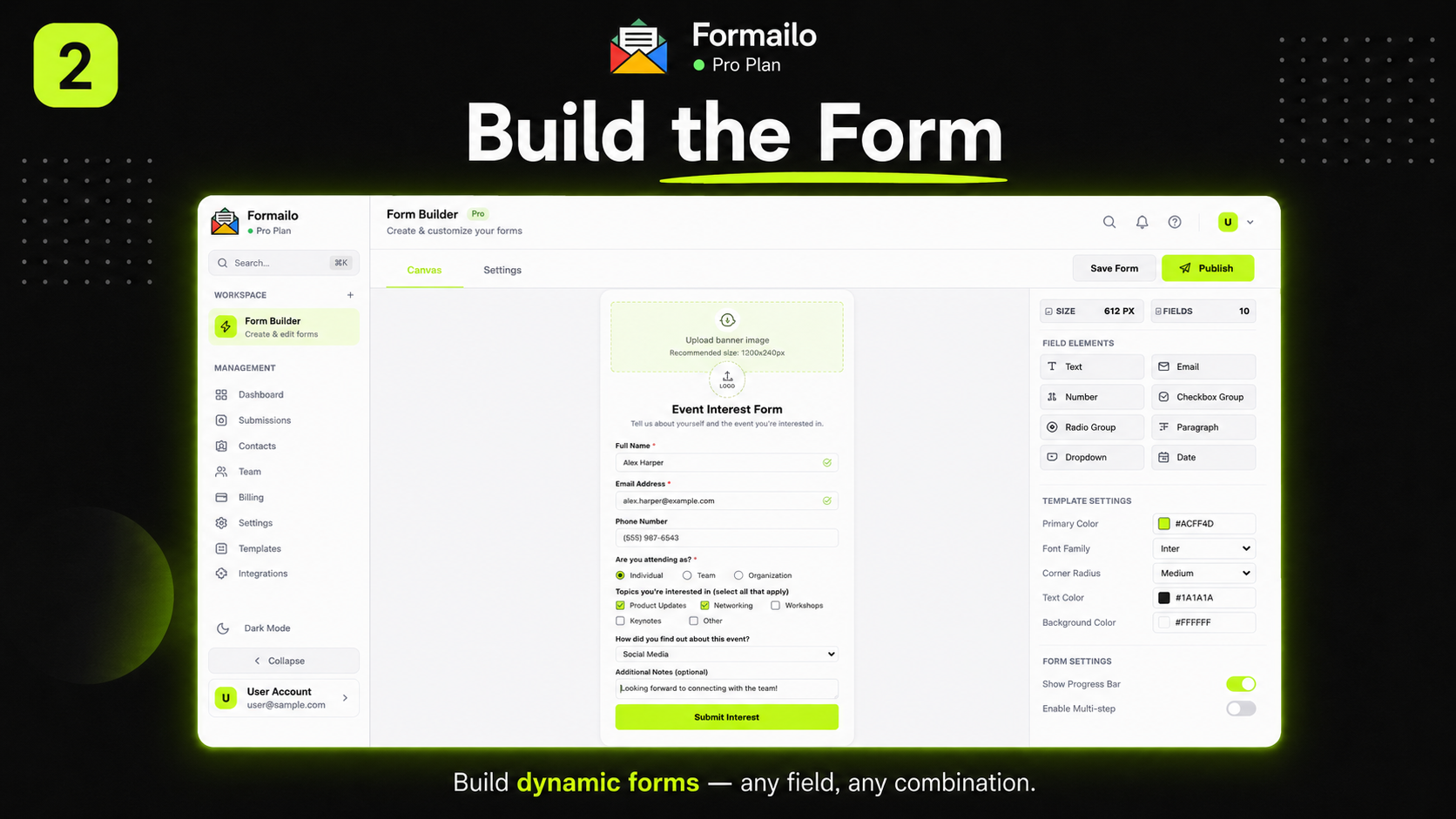
Formailo visual form builder with field controls, settings and a live form canvas.
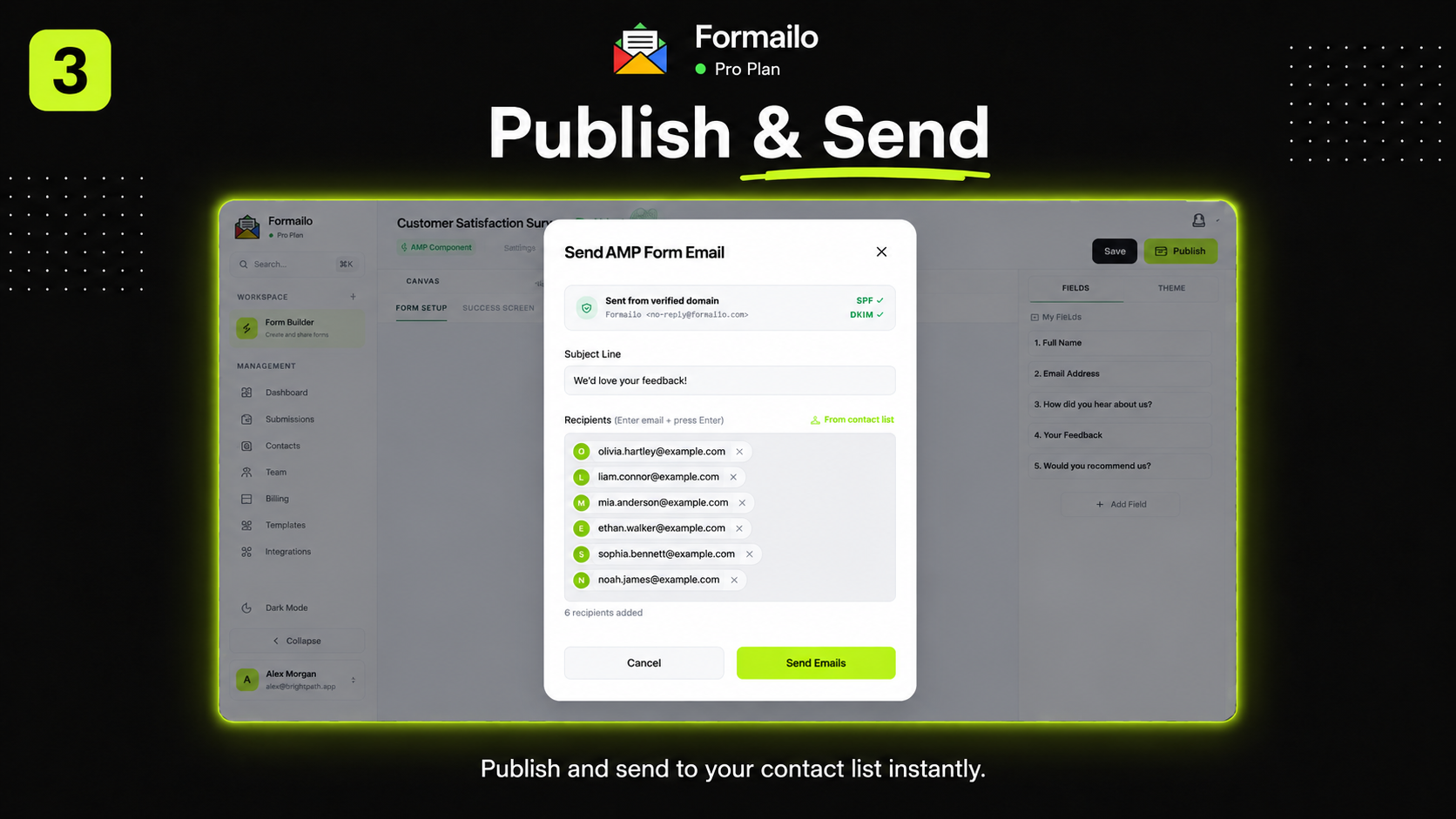
Formailo publishing dialog used to select recipients and send a completed form.
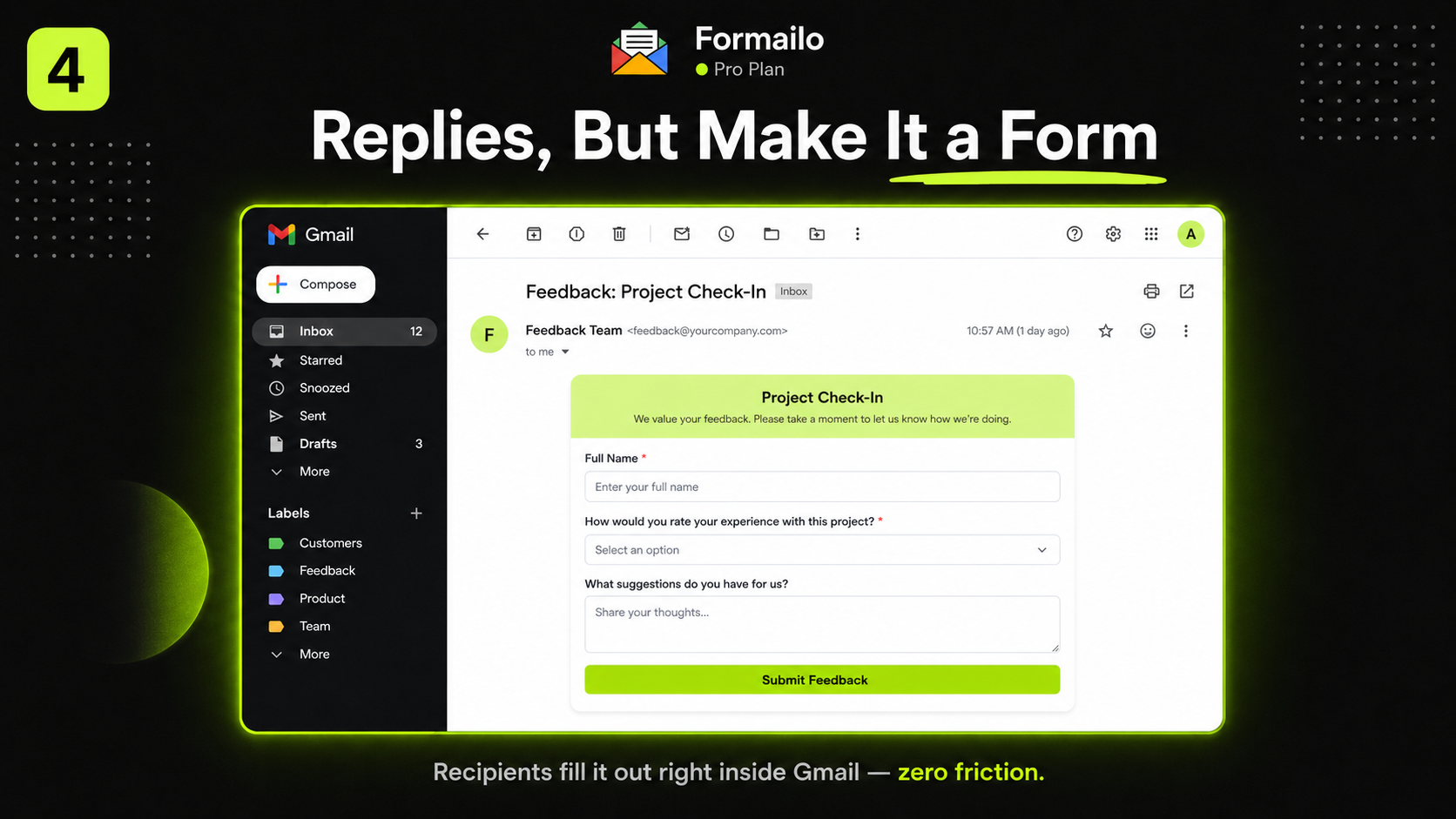
A recipient completing a Formailo feedback form directly inside a Gmail message.
01 / Product context
The flagship product case study, separated from design work so technical depth strengthens the portfolio without confusing its primary positioning.
Make form handling simple for users while treating delivery reliability, abuse protection and infrastructure security as first-class product concerns.
Product goal
Reduce the distance between a user’s problem and a dependable completed workflow while keeping setup, status and failure recovery understandable.
Case-study boundary
This is active work. The page describes verified direction and safe architectural principles; capabilities must be checked against the current build before publication.
02 / Users & jobs
Who the product is for
- Developers and small teams that need reliable form delivery without building a complete backend.
- Site owners who need understandable setup, actionable errors and confidence that submissions are protected.
- Product and operations stakeholders evaluating delivery, abuse prevention and infrastructure tradeoffs.
Primary jobs to be done
- Understand whether the product solves the user’s situation before committing to setup.
- Complete the primary workflow with clear requirements and minimal avoidable configuration.
- Know what happened, what failed and what action is safe to take next.
- Trust that personal data, credentials and infrastructure details are handled responsibly.
03 / Product decisions
Decisions before features
The case study connects product flows to architecture choices and documents tradeoffs without exposing credentials, customer data or internal secrets.
Keep the main user job narrow and explicit. Secondary capabilities must support the core flow rather than turn the project into an unfocused feature list.
Organize setup, status, actions and explanation around the user’s mental model, with progressive disclosure for technical details.
Use accessible components, predictable feedback, useful empty and error states, responsive layouts and content that explains consequences before action.
Separate presentation, application logic and external services so responsibilities, failure modes and replacement costs remain understandable.
Minimize stored data, validate untrusted input, protect credentials, apply least privilege, rate-limit abuse-prone surfaces and avoid exposing internal details.
Treat logs, delivery status, retries, monitoring and incident-safe diagnostics as part of product quality—not invisible implementation concerns.
Add the verified end-to-end flow, key decision points, empty states and recovery paths. Redact all private data.
04 / Architecture
A safe, readable system view
- Trust boundaries and untrusted inputs are identified before describing components.
- Secrets remain in protected runtime configuration and never appear in browser code, screenshots or portfolio diagrams.
- Personally identifiable information is minimized, redacted and retained only where a verified requirement exists.
- Failure modes include timeouts, retries, duplicates, abuse, partial delivery and unavailable dependencies.
- The public diagram communicates responsibilities and tradeoffs without revealing exploitable infrastructure detail.
Add a simplified, redacted diagram with components, data direction, trust boundaries and external dependencies. Never include hosts, credentials or customer data.
05 / Implementation
From product rule to working interface
Experience layer
Responsive screens, accessible components, meaningful loading and empty states, validation placed close to the user’s action and plain-language status feedback.
Application logic
Explicit rules for authorization, input handling, state transitions and safe error responses, separated from presentational components.
Data and integrations
Minimal data contracts, validated external responses, controlled retries and provider-specific logic contained behind clear boundaries.
Quality
Type checks, focused tests for important flows, formatting and build verification, plus manual checks for keyboard access and failure recovery.
Documentation
Setup requirements, architectural decisions, environment keys, current limitations and operational steps described without publishing secret values.
Add desktop and mobile screens, components, errors, confirmations and implementation evidence. Use synthetic content only.
06 / Tradeoffs & verification
What the case study must make explicit
- Which functionality exists now, which is experimental and which remains a proposal.
- What is intentionally omitted to keep scope, privacy and operations manageable.
- Where a managed service reduces implementation burden but introduces cost, dependency or portability tradeoffs.
- Which security assumptions require further review, testing or monitoring before production use.
- How the chosen approach affects performance, maintainability, accessibility and the ability to change providers later.
Every technical claim should link to an observable screen, safe diagram, code or deployment fact. If evidence cannot be published, describe the decision without implying unverified completion.
07 / Current status
Active product work. Public documentation will describe verified capabilities and current status without publishing sensitive infrastructure details.
Delivered or documented
- Product strategy
- UX system
- Email / AMP concept
- Security decisions
- Application architecture
- Published stack or product description
- Current-status statement
Next validation
- Audit the current implementation against every public claim.
- Replace generic placeholders with redacted owned screenshots.
- Document measurable reliability or usability only after real evidence exists.
- Review dependencies, security assumptions and repository history before adding deeper implementation claims.
International product-team relevance
The case study shows the ability to connect UX, technical implementation, privacy, documentation and operational discipline. It supports collaboration with international product managers, designers and engineers while keeping the portfolio’s primary design identity clear.